Guides
Hands-free page turner options: every method and the apps that support it
Pedals, winks, head turns, timed scrolling, linked tablets and apps that listen: what each method needs and which sheet music apps support it as of October 2026.
Seven picks by need, from a $49.99 Donner to four-pedal and MIDI models, plus what each sheet music app lets a pedal do.
Disclosure: Newzik is a commercial partner of SheetMusicApps. Rankings follow our published methodology, and every app's facts come from official sources and are fact-checked twice. Read our disclosure
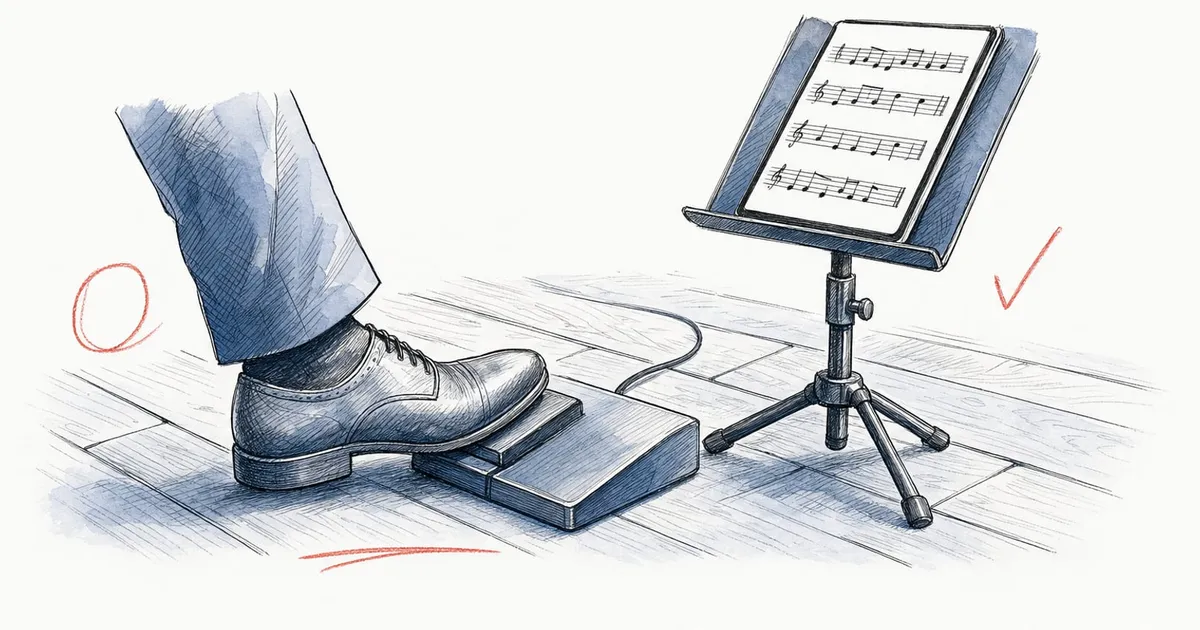
The best page turner pedal for most musicians in 2026 is the AirTurn DUO 500: two silent switches, a rechargeable battery AirTurn rates at more than 200 hours, and keyboard, AirDirect and MIDI modes that cover every major sheet music reader.
A $50 pedal still handles basic page turns, and pianists, organists and players who rely on repeats or MIDI have better-suited options. This guide compares 14 current Bluetooth page turner pedals using the makers’ specs and US prices as of October 2026. If you can’t spare a foot at all, see our guide to hands-free page turning.
The AirTurn DUO 500 ($109) is the best page turner pedal for most players, and the Donner DBM-50 ($49.99) is the best value. Picks by need:
All seven work with iPad, iPhone and Android tablets, so they’re also our picks for the best page turner pedal for iPad.
Every pedal here sends a key or a MIDI message to your device; the differences are switch count, noise, power and extra modes.
| Pedal | Switches | Modes | Power | Connection | Price |
|---|---|---|---|---|---|
| AirTurn DUO 500 | 2, silent | Keyboard, AirDirect, MIDI | Rechargeable (USB-C), 200+ hours | Bluetooth 5.0 LE | $109 |
| AirTurn PED 500 | 2, quiet, slim | Keyboard, AirDirect, MIDI | Rechargeable (USB-C), 200+ hours | Bluetooth | $89 |
| AirTurn QUAD 500 | 4, silent | Keyboard, AirDirect, MIDI | Rechargeable, 200+ hours, or 9V supply | Bluetooth 5.0 LE | $139 |
| AirTurn BT500S-2 / S-4 / S-6 | 2, 4 or 6 quiet stomp switches | Keyboard, AirDirect, MIDI | Rechargeable, 200+ hours, or 9V supply | Bluetooth 5.0 LE | $89 / $119 / $149 |
| PageFlip Butterfly | 2, silent | Keyboard (3 modes) | 2 AA, about a year | Bluetooth 4.0 | $89.95 |
| PageFlip Firefly | 2, silent, lit, plus 2 jacks for extra pedals | Keyboard (5 modes) | 2 AA, about a year, or USB-C | Bluetooth 4.0 or USB-C cable | $109.95 |
| PageFlip Dragonfly | 4, silent, lit | Keyboard (5 modes) | 2 AA, about a year, or USB-C | Bluetooth 4.0 or USB-C cable | $129.95 |
| IK Multimedia iRig BlueTurn | 2, silent, backlit | Keyboard (3 modes) | 2 AAA | Bluetooth LE 4.1 | $79.99 |
| IK Multimedia iRig BlueBoard | 4 pads, 2 expression jacks | MIDI only | 4 AAA | Bluetooth LE MIDI | $119.99 |
| Donner DBM-50 | 2, silent | Keyboard (5 modes) | Rechargeable, up to 80 hours | Bluetooth 5.0 | $49.99 |
| Coda STOMP | 2, quiet, metal case | Keyboard (4 modes) | 9V battery, up to 150 hours, or 9V adapter | Bluetooth 4.0 | $159.95 |
| Coda STOMP Mini | 1 (press twice to go back) | Keyboard | Rechargeable (USB-C), 100+ hours | Bluetooth | $69.95 on sale ($89.99 list) |
All of these work with iPad and iPhone, and all but the iRig BlueBoard list Android. AirTurn, PageFlip and Donner also list Mac and Windows. IK lists Mac but not Windows, and Coda says the STOMP is “not currently compatible with Windows.”
Match the pedal to where you play and what it must do besides turning pages.
The DUO 500 is AirTurn’s silent two-pedal model and the safest choice if you’re unsure. AirTurn calls its switches “completely silent,” rates the rechargeable battery at more than 200 hours per charge and the Bluetooth 5.0 range at more than 200 feet, and covers it for two years with product registration.
Its seven modes cover keyboard keys (the default suits most apps), AirDirect for apps that connect to AirTurn pedals directly, and Bluetooth MIDI. The free AirTurn Manager app (iOS, Android, Mac) remaps keys and sets auto-repeat, debounce and idle time, and the transmitter detaches to work as a handheld remote.
The DBM-50 covers the basics for $49.99: two silent pedals, five keyboard modes, Bluetooth 5.0 and a rechargeable battery Donner rates at up to 80 hours. Holding both pedals brings back the iPad’s on-screen keyboard.
You give up AirDirect, MIDI, and AirTurn’s longer battery rating and range (Donner quotes 10 meters). Other options under $90: Coda’s STOMP Mini ($69.95 on sale) turns forward with one press and back with two quick presses, and PageFlip sells a refurbished Butterfly for $74.95.
PageFlip calls the Firefly’s pedals “entirely noiseless,” and they light up for dark pits and stages. Two AA batteries last about a year (200 hours of use), and a USB-C cable can power the pedal or connect it by wire.
PageFlip’s free app reprograms its five keyboard modes, and two rear jacks accept extra pedals. There’s no AirDirect or MIDI mode, and the warranty is one year. If you’d rather recharge, AirTurn also calls the DUO 500 completely silent.
Four pedals keep page turns on two and free the others for jumps such as a D.S. al Coda or the next song. forScore notes that each pedal carries one command, so Previous Page, Next Page and its two link commands (Select Control and Activate Control) need four pedals.
The Dragonfly ($129.95) fits four silent, illuminated pedals into a two-pedal footprint, two of them smaller and set back, and PageFlip says it works well with forScore’s Links for repeats. The AirTurn QUAD 500 ($139) is the rechargeable alternative, with four silent pedals and MIDI.
The BT500S-4 ($119) puts four quiet steel stomp switches in a pedalboard-style case that runs on its battery or a 9V supply. Its MIDI mode sends messages you can map to actions in forScore, MobileSheets or Newzik, and its keyboard modes cover apps without MIDI input.
The BT500S-6 ($149) adds two analog inputs for expression pedals, for example to control scroll speed. IK’s iRig BlueBoard ($119.99) is a MIDI-only option with four backlit pads, listed for iPhone, iPad and Mac only.
The PED 500 ($89) is AirTurn’s slim pedal (6 x 4 x 0.7 inches, 5.3 ounces, with anti-slip padding), and AirTurn describes it as ideal for seated use. Its low profile suits a spot to the left of the soft pedal. It charges over USB-C, is rated at 200+ hours and has the same modes as the DUO 500.
AirTurn describes its silicone-covered switches as quiet, with “minimal sound”; for a hushed recital hall, the DUO 500 is the model AirTurn calls completely silent. For the app side, see the best sheet music apps for piano.
An organ pedalboard leaves little floor space for a standard pedal. The DIGIT 500 ($69) is a 2-ounce Bluetooth transmitter whose two 3.5 mm ports accept up to four external switches, so you can place compact ones such as AirTurn’s ATFS-2 silent footswitch ($19 each) wherever they fit on your console. It has the same modes and battery rating as AirTurn’s pedals.
If no foot is free, use a hand or your face. AirTurn’s CUE ($69) is a one-button remote worn on the wrist or strapped to a stand, and forScore (with Pro), MobileSheets and Newzik (with Premium) can turn pages with face gestures. Our hands-free page turning guide compares those options.
The iRig BlueTurn ($79.99) is small and light (125 g), with two silent backlit buttons on two AAA batteries; IK doesn’t list Windows support.
The Coda STOMP ($159.95) is a metal-cased stompbox with a 9V battery rated at up to 150 hours. On a 9V, 1,500 mA adapter, its USB port can charge your tablet during a gig, and Planning Center lists it as compatible with Music Stand. That suits bands and worship teams playing long sets.
Yes, in keyboard mode. A Bluetooth page turner pedal sends a key such as an arrow, Page Up/Page Down or Space/Enter, and every reader we checked turns pages on those keys. Each app adds its own extras:
The iRig BlueBoard is the exception: as a MIDI-only controller, it needs an app with MIDI input, such as forScore or Newzik.
Use keyboard mode unless your app supports something better. It works everywhere, but iPadOS treats the pedal as a physical keyboard and hides the on-screen one, as forScore’s user guide explains.
Pair it, choose the mode your app expects, assign the pedals in the app, and test before you play:
Most problems come from auto-repeat, the wrong key mode, an iPadOS accessibility setting or a pairing mix-up:
Next, choose the reader: compare the best sheet music apps for iPad and for Android, the overall ranking or our guide to the best iPad for sheet music.
Guides
Pedals, winks, head turns, timed scrolling, linked tablets and apps that listen: what each method needs and which sheet music apps support it as of October 2026.
Best apps by need
forScore runs only on Apple devices. Six alternatives ranked by our overall score, with the best pick for Android, Windows, ensembles, chord charts, bands and church teams. US prices checked in October 2026.
Best apps by need
Eight sheet music apps you can keep using without paying, ranked with weights that favor what the free version allows, plus the 'free' readers that stop after a few songs. US prices checked in October 2026.
Filter every sheet music app by the devices you use, how you want to pay and the features you can't do without.